How to5 min read
By House of Holos
Make a binder for the cards you love
Every set gets a binder with empty sleeves for what’s missing. Make, arrange and share your own too, for chase cards, a favorite Pokémon or trade bait.
Cards you tick save in this browser. Signing in is optional.
A binder is the best way to see a collection at a glance. House of Holos gives every set a binder view, and you can make your own binders for anything else: chase cards, a favorite Pokémon, or what you’re bringing to trade night.
See your sets as binders
Open My collection and switch the view to Binder. Pick 4, 9 or 12-pocket pages. Cards run in set and collector-number order, like a real binder.
Buying a physical binder first? The binder page calculator shows how many pages a set needs.
Turn on Show empty sleeves for missing cards and every set shows all of its cards. The ones you don’t have yet sit in empty sleeves with their number, so you know exactly what to look for. A page gets the gold sparkle once every pocket on it is filled.
Save a view as a binder
Found an arrangement you like? Under a set in the binder view, press Save as a binder. Give it a name, pick the page size and press Save. The new binder keeps every card in the pocket it’s in now, so with empty sleeves showing, the gaps for missing cards come along too, like a master-set binder.
It works from a filtered collection too. Search or filter My collection, then press Save as a binder under the filters to turn what’s showing into a binder.

Make your own binder
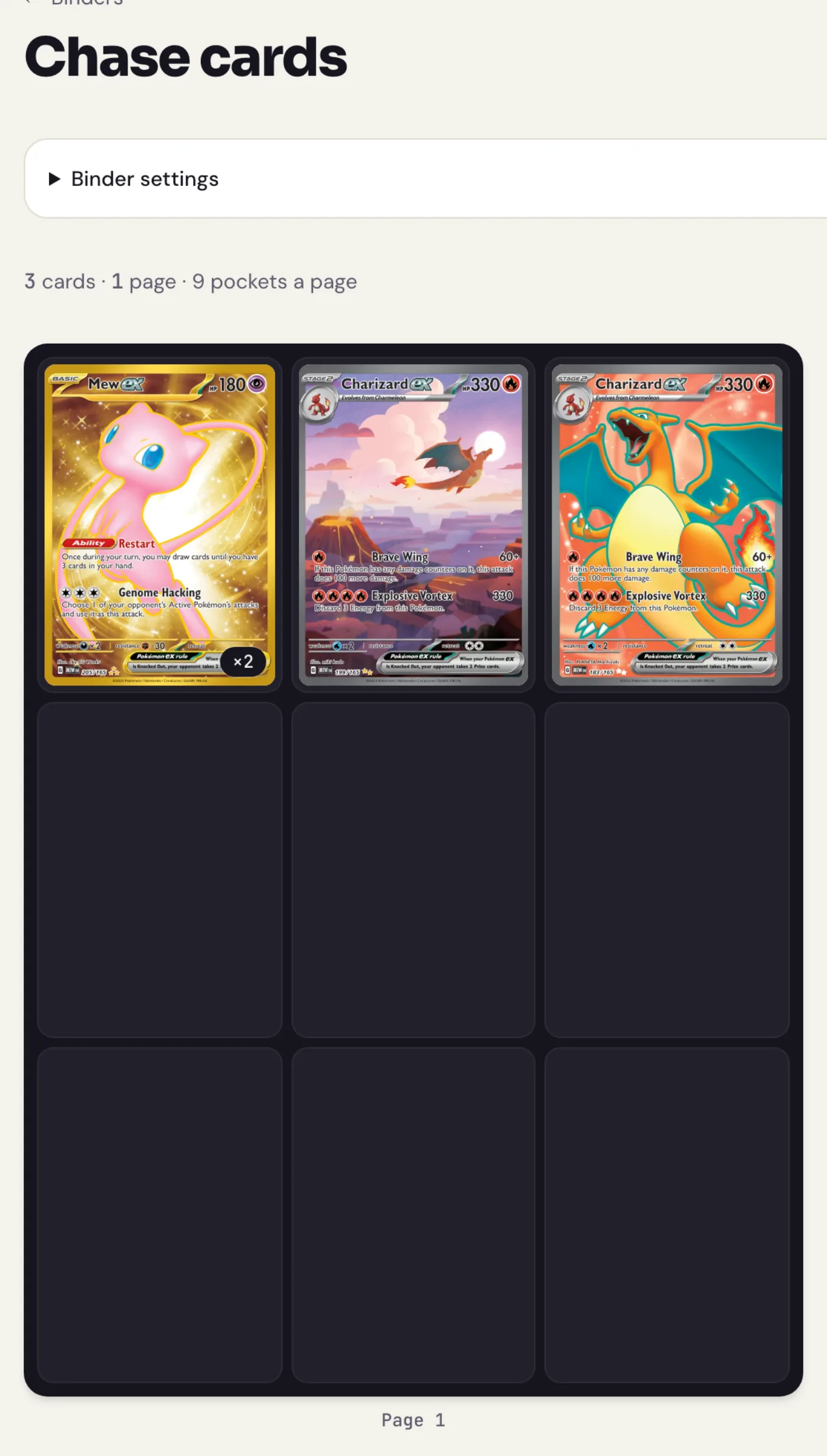
- In My collection, choose Binders.
Under New binder, give it a name (like “Umbreon binder”), pick 4, 9 or 12-pocket pages and press Make binder.
Under Add cards, pick cards from your collection. Search to find them faster. They go into the next empty pockets in the order you pick them, and the number on each card shows its place.
- Press Add to put them in. The button counts how many cards you picked.
Arrange your binder
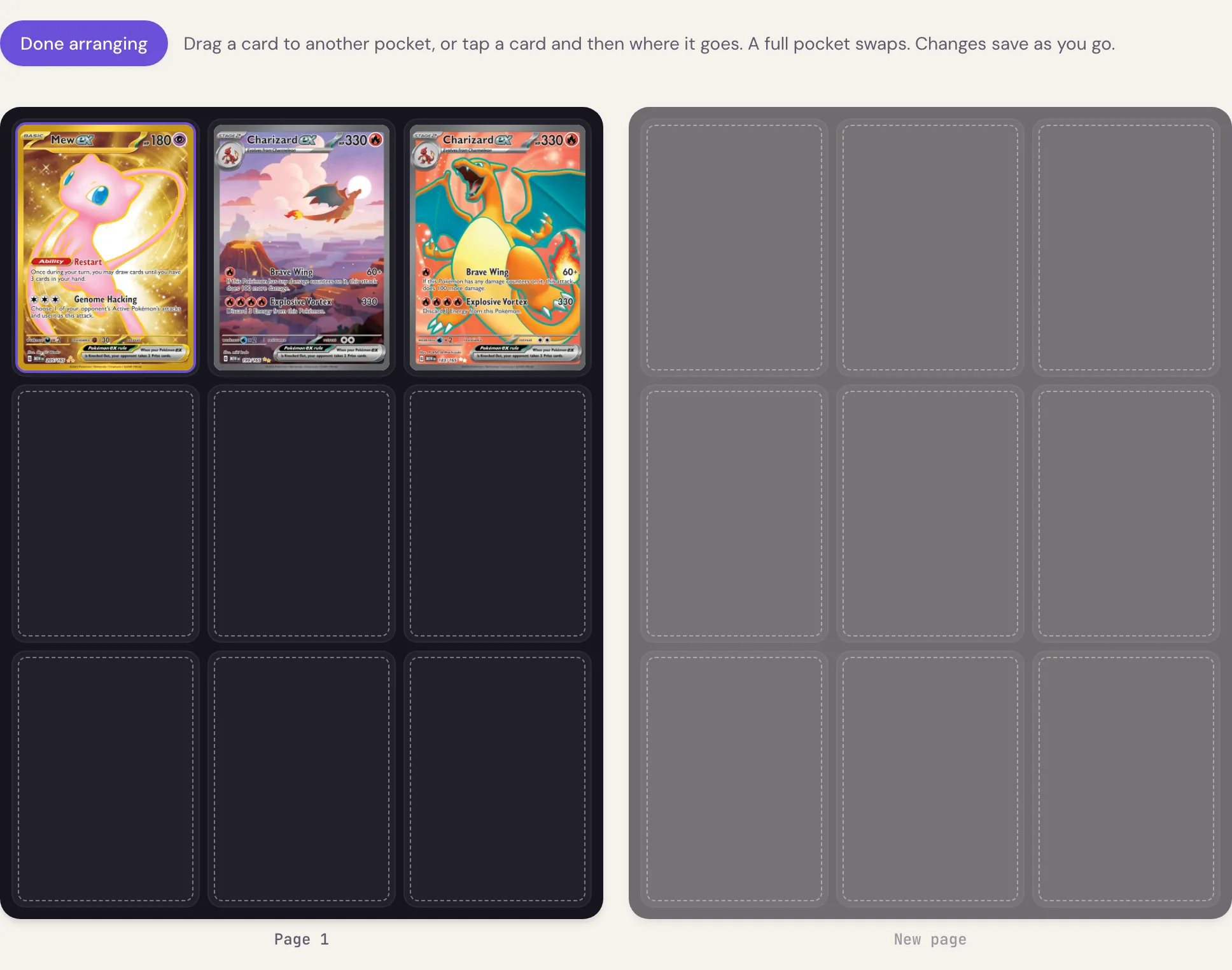
Press Arrange cards to move cards around. Drag a card to another pocket, or tap a card and then the pocket where it should go. Dropping a card on a full pocket swaps the two. A spare page appears at the end, so you can start a new page by moving cards onto it. Changes save as you go; press Done arranging when you’re finished.
Share your binder
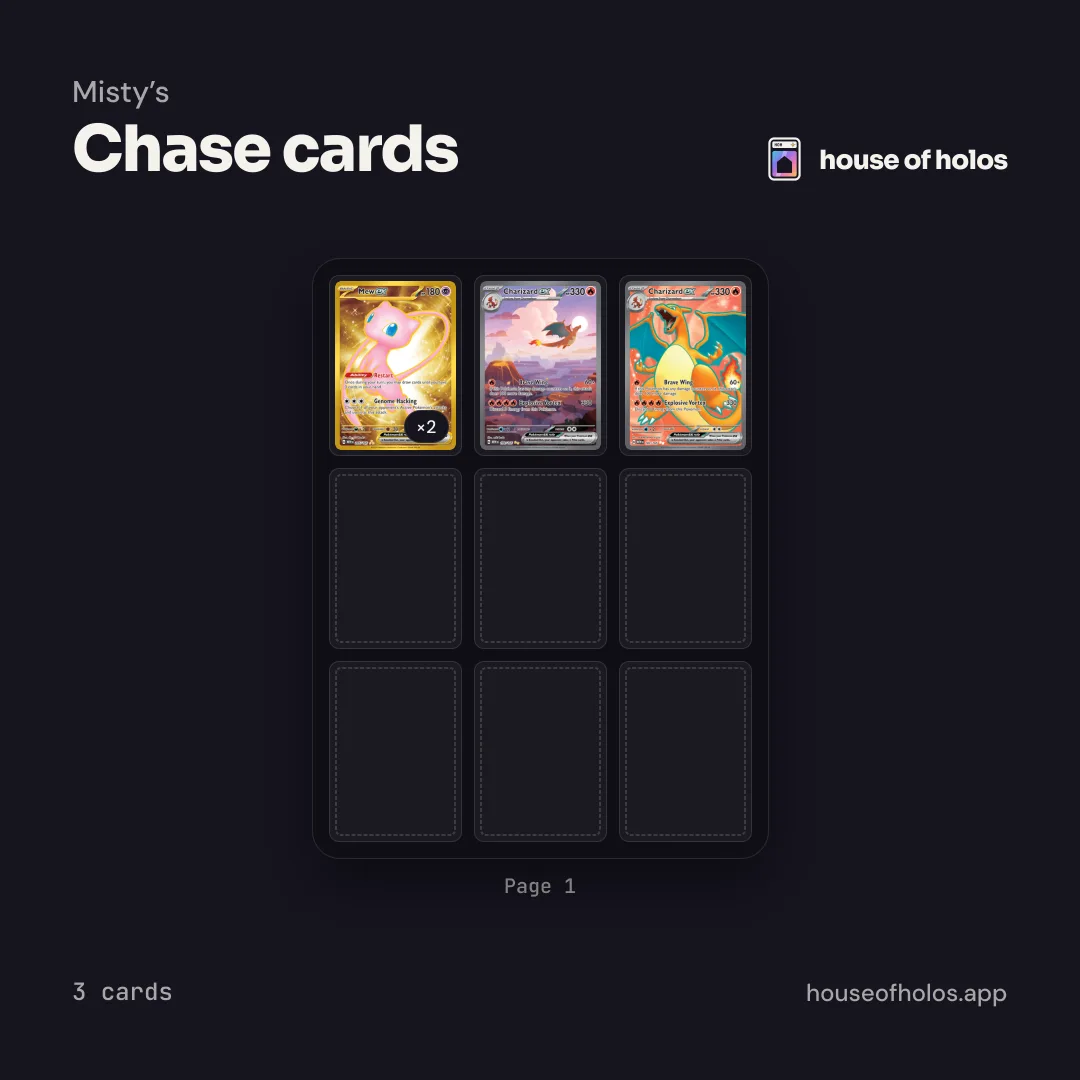
Press Share on a binder, then Create link. Anyone with the link sees the binder page by page, with your display name and never your email or what you paid. Save image downloads a square picture of the first page, ready for Instagram or X.
Change or delete a binder
Each card in a binder has a button to take it out again. Open Binder settings to rename the binder or change its pages. Delete binder removes the binder only: the cards stay in your collection.