How to2 min read
By House of Holos
Add a graded slab by its cert number
Type the cert number from the label, find the card, and your slab shows its grade and links back to the grader’s record.
Cards you tick save in this browser. Signing in is optional.
Slabs are the showpieces of a collection. Add yours with the cert number from the label, and each one links back to the grader’s own record, so anyone can check it.
Add a slab by its cert number
- In My collection, choose Add a slab.
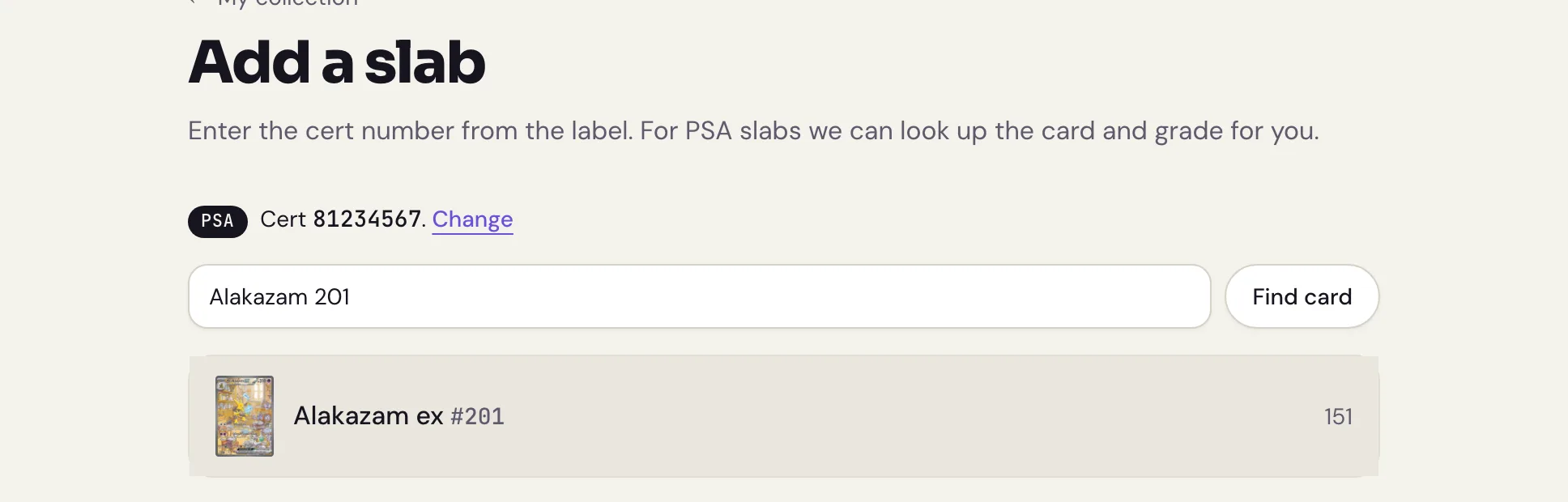
Pick the Grader, type the Cert number from the label and press Find this slab.
For PSA slabs we can look up the card and grade for you. When we can’t, search for the card by name and number, like “Charizard 4/102”, and press Find card.
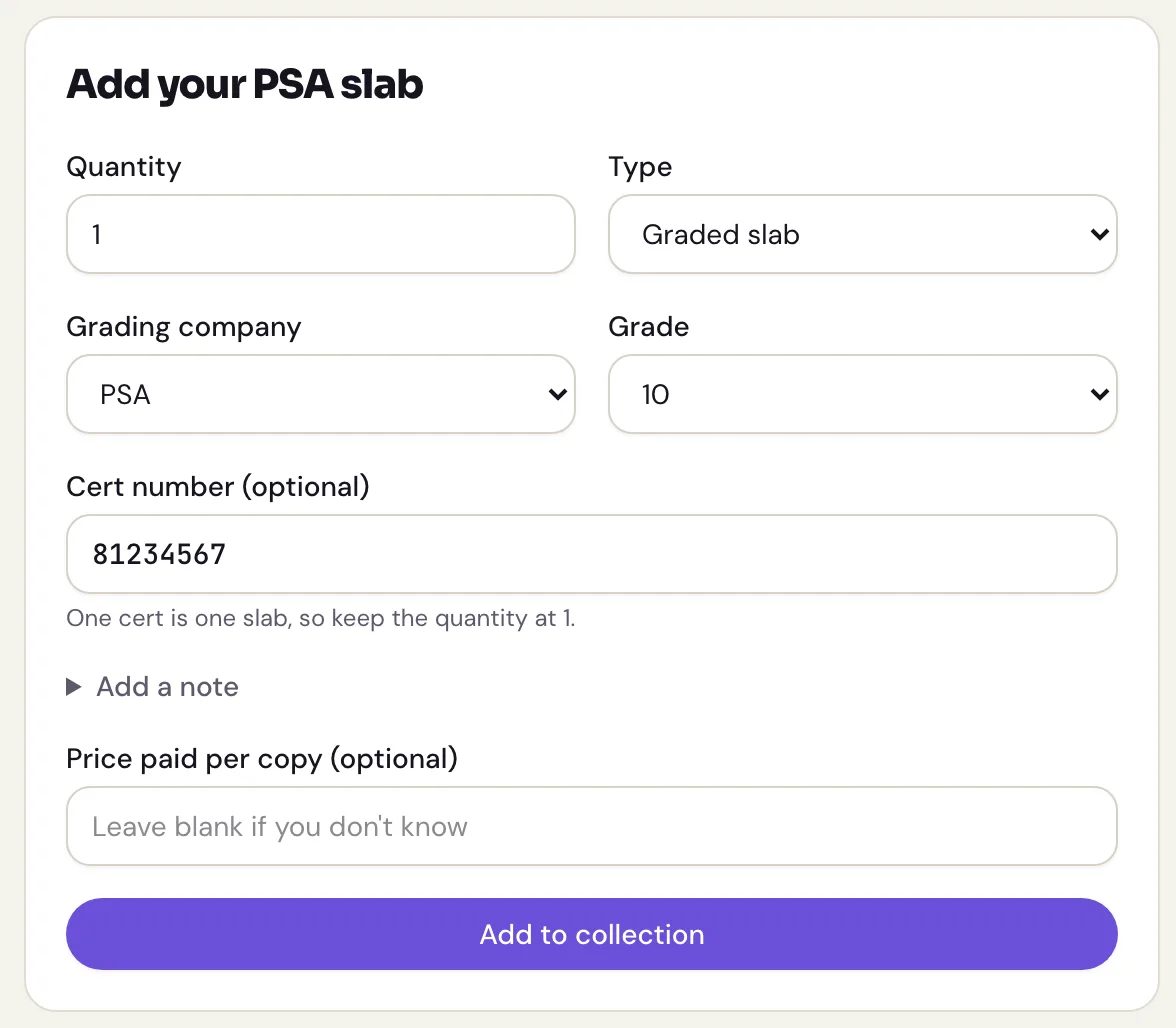
Pick the card. Its page opens with Add your PSA slab (or your grader’s name) ready, with the grader and cert number filled in.
- Check the Grade, add what you paid if you like, and press Add to collection.
Already added the slab?
Open it from My collection, press Edit and fill in the Cert number. The grader and grade stay as they were.
What you’ll see
Slabs show their grader and grade on a label, like the real thing, in My collection and in your binders. The cert number links to the grader’s own lookup where the grader has one.
Slabs stay separate from raw copies of the same card. You can record what you paid for each one and see that cost in your portfolio. House of Holos does not provide market prices or slab valuations.